> For the complete documentation index, see [llms.txt](https://engyon.gitbook.io/engyon/llms.txt). Markdown versions of documentation pages are available by appending `.md` to page URLs; this page is available as [Markdown](https://engyon.gitbook.io/engyon/en/how-to-guides/checks-and-findings/adding-procedures-to-the-test-plan.md).
# Adding procedures to the test plan
#### Adding procedures
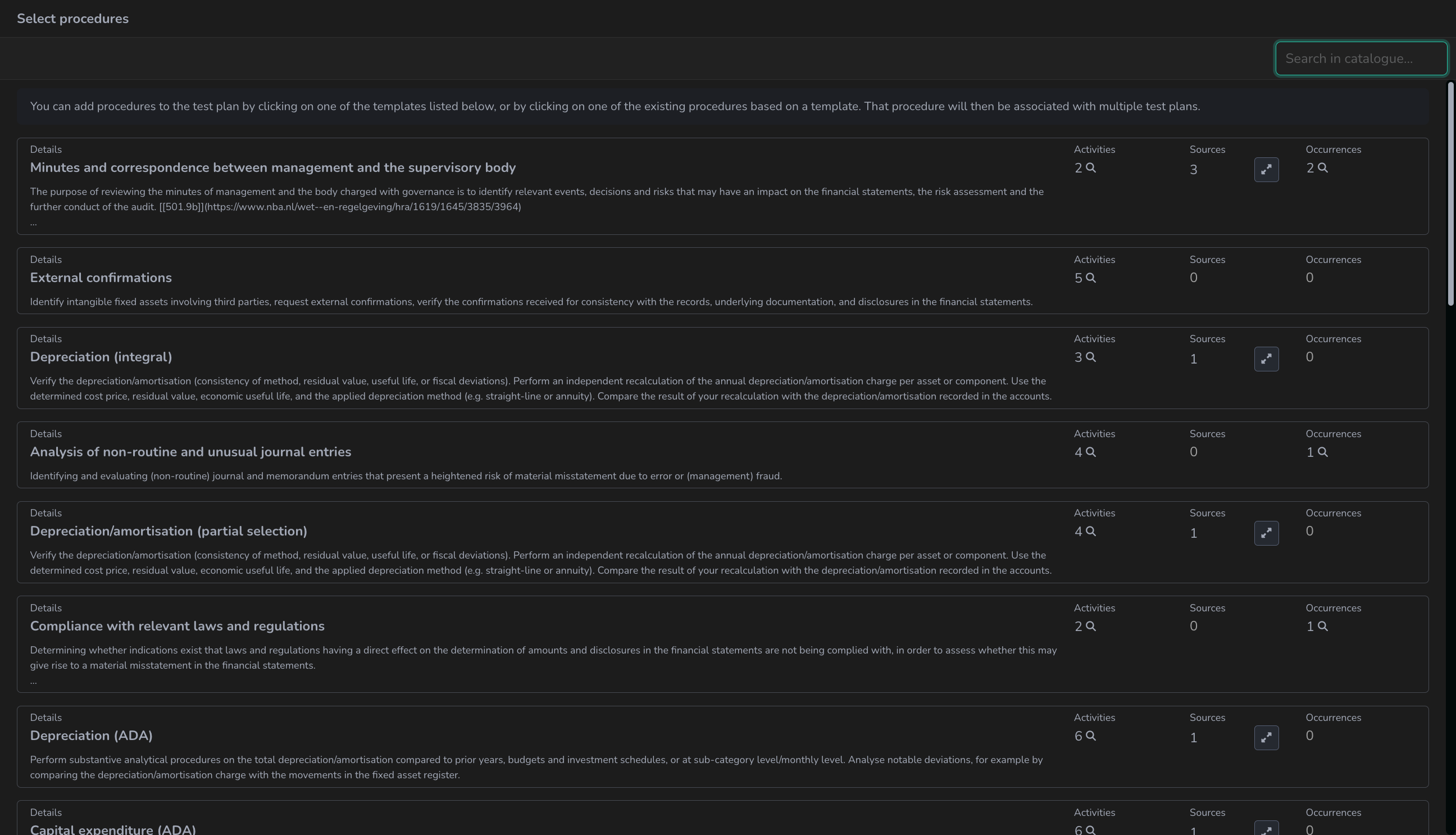
When you click on the plus icon (:plus:), a screen is shown:
Here you see the standard procedures that can be added. Based on the line item and assertion, we will place Recommended after the name of the procedures in case we expect these procedures to be relevant.
If you click on Show all, you see all possible - generic - substantive procedures and an empty template. When you want to add specific work steps, this can be done by adding activities to generic work steps.
{% hint style="info" %}
Watch out: When a work step on the test plan is in `draft`, the activities cannot yet be executed. You can therefore not enter anything on the right side in terms of documentation. At the moment the status of In progress and `draft` is set to `close specification`, it is possible to bring procedures (activities) into progress. You do not have to close each procedure separately. The same Close specification is on the line item and on the risk: click the status there and choose Close specification. That takes the test plans of that line item or that risk out of `draft` in one go.
{% endhint %}
#### Adding client-specific activities to a risk
Often you want to make a number of activities specific to the client based on a detailed risk. How to do this can be seen in this [video](https://www.loom.com/share/824e8a23fab5484ab6a02c03b1f33c5f).
### Test plans: out of draft, to review
Within a line item you have a test plan for `General procedures`, and per assertion that is linked to a line item.
General procedures are automatically included when you have brought a line item into `Scope` in the `Scope` screen and you have clicked on the broadcast tower icon (:tower-broadcast:) there. See [`Scope`](/engyon/en/reference/materiality-and-scope.md) for more.
You must supplement each specific test plan with substantive procedures in the planning phase. You do this per test plan by clicking on the plus icon (:plus:) to add your work per substantive procedure.
You can remove standard procedures on a test plan, for example `Substantive analytical procedures`, or add activities yourself. Drag the pointer between the activities and Add activity appears. Remove an activity with the trash icon (:trash:). You can only start executing them once the test plan is out of `draft`.
Once you are satisfied with the procedures, you can take the `Status` of your test plan out of `draft`. You do this by clicking on the `Status In progress` and then clicking on `close specification`.
Do you want to remove a planned procedure from the test plan later? If the specification has already been closed, you must first put it back in draft: click on the status of the test plan and choose reopen specification. Then you can remove the procedure via the trash can icon (:trash:).